Most companies “use AI.” They open ChatGPT, type a question, get an answer, and move on. That is not an AI system. That is a search engine with better grammar. The difference between using AI and having an AI system is the difference between owning a hammer and having a construction company. One is a tool. The other is a capability that compounds.
At Z Digital Agency we have battle-tested (and failed a lot) in building our AI system. This is our AI system story for all european SMEs.
Only 6% of companies using AI see significant returns. The Z Digital Agency team has seen why. It’s not because the other 94% chose the wrong tools. It’s because they never built a system. They have ChatGPT subscriptions and scattered prompts saved in browser bookmarks. No structure. No institutional memory. No compounding.
This article reveals the exact framework the Z Digital Agency team uses internally. Not a theoretical model. Not a framework drawn on a whiteboard. The actual system, running in production, that coordinates work across 8 clients, 7 team members, and 38 encoded skills. Any SME can adapt this. It requires no engineering team. No custom software. Just structured files and a clear methodology.
If this feels overwhelming at any point, the Z Digital Agency team builds these systems for clients in weeks, not months. You can also learn to build it yourself through their AI training program. But first, understand the architecture. Because understanding the system is what separates the 6% from everyone else.
Why “using AI” is not the same as having an AI system
Ask ten employees at any company how they use AI. You will get ten different answers. One uses it for emails. Another for spreadsheets. A third tried it once and forgot about it. There is no shared method, no shared context, and no shared quality standard.
This is the core problem: AI without a system produces random results. Every interaction starts from zero. The AI knows nothing about your business, your clients, your brand voice, or your processes. So every prompt requires you to re-explain everything. Every output needs heavy editing. And nothing gets better over time.
A system changes this. A system means the AI already knows:
- Who your company is, what it does, how it operates
- Who each team member is and what they handle
- What each client needs and what has been decided
- How work should be done, to your quality standard
- What has been tried before and what worked
Swiss CEOs understand this gap: 38% identify AI investment as their most important growth measure for 2026, yet only 34% of Swiss SMEs actually use AI to automate specific work steps. The bottleneck is not interest. It’s not budget. The bottleneck is the missing system between “we want to use AI” and “AI makes us measurably better.”
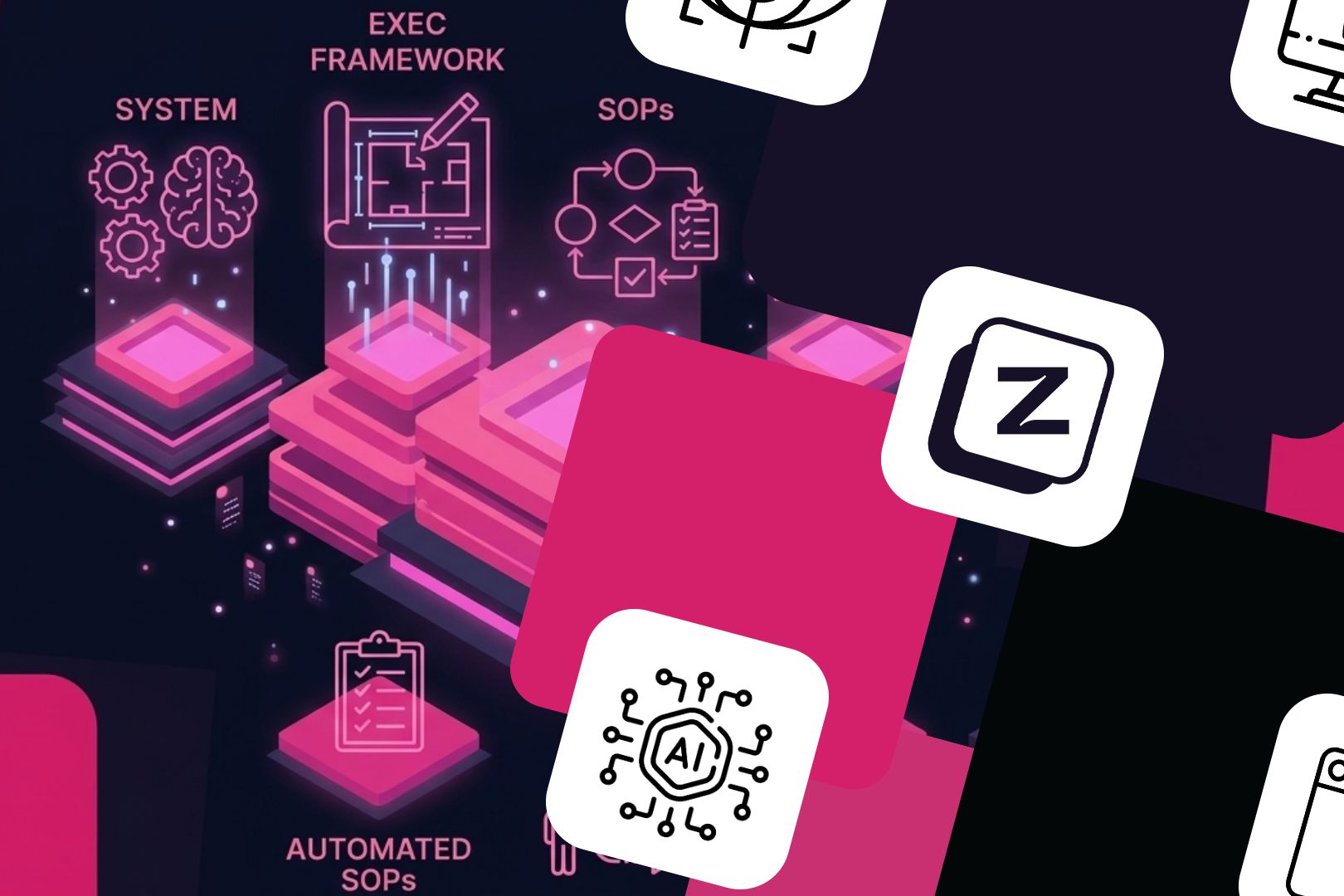
The Z Digital Agency team crossed that bottleneck by building a structured approach called the EXEC framework. Here is exactly how it works.
The folder structure: your company’s AI brain
The entire system lives in a folder. No database. No custom software. No API integrations. Just files organized in a specific way that any AI assistant can read and understand.
Here is the structure:
your-company/
├── CLAUDE.md              # The brain file (master instructions)
├── context/               # Who you are
│   ├── me.md              # Founder profile, roles, working style
│   ├── work.md            # How the company operates, tools, systems
│   ├── team.md            # Team roster, capabilities, assignments
│   ├── priorities.md      # Current focus, blockers, deadlines
│   └── goals.md           # Quarterly and annual targets
├── .claude/               # How to work
│   ├── rules/             # Communication style, brand voice
│   └── skills/            # All expertise encoded as AI SOPs
├── projects/              # What you're working on
│   ├── client-a.md        # One file per client or project
│   ├── client-b.md
│   └── internal-tool.md
├── decisions/             # What you've decided
│   └── log.md             # Append-only decision log
└── tasks.md               # Active task list
Every folder has a specific purpose. None are optional.
The brain file: CLAUDE.md
This is the master instruction file. When an AI assistant opens your project, this is the first thing it reads. It tells the AI:
- Who you are and what your company does
- Where to find context about the business
- What skills are available and how to use them
- What rules to follow when producing work
- How to maintain the system itself
Think of it as the operating manual for your AI team member. A new human employee gets an employee handbook. Your AI gets CLAUDE.md.
Context files: the company’s memory
The context/ folder contains five files that together represent everything the AI needs to know about your business before doing any work.
me.md contains the founder’s profile. Not a resume. A working profile: what you handle personally, what you delegate, your decision-making style, your current constraints. The Z Digital Agency team’s version includes the founder’s role across each client, his exit timeline, and the areas where he is the bottleneck.
work.md describes how the company operates. What tools you use. Where files live. What your workflow looks like. What your clients expect. This is the file that prevents the AI from suggesting tools you don’t use or workflows that don’t match your reality.
team.md maps every team member: their role, their skills, which clients they handle, who leads which account. When the AI needs to assign work or understand who owns a decision, it reads this file.
priorities.md is the living document. What are you working on right now? What are the blockers? What changed this week? This file gets updated frequently. It is the difference between an AI that gives generic advice and one that says “Given that you’re focused on the product launch this week, here’s what to defer.”
goals.md contains the targets. Revenue goals. Growth targets. Personal objectives. When the AI helps you prioritize, it weighs decisions against these goals.
Skills: your company’s expertise, encoded
This is where the system becomes powerful. The .claude/skills/ folder contains encoded expertise. Each skill is a structured document that teaches the AI how to do a specific type of work to your company’s quality standard.
The Z Digital Agency team has 38 skills. Google Ads management. SEO audits. Content creation. Brand strategy. LinkedIn writing. Client onboarding. Each one is a complete SOP that any team member, or any AI, can follow to produce work at a consistent quality level.
More on skills in a dedicated section below.
Projects: client and project context
Each client or project gets a lightweight file in projects/. Not a full project management system. A context file that tells the AI: what this client does, what the Z Digital Agency team handles for them, what has been decided, what is in progress.
When someone asks the AI to draft a proposal for Client A, the AI reads projects/client-a.md first. It already knows the client’s industry, their goals, the history of the engagement, and the current priorities. The output is relevant from the first draft.
Decisions log: institutional memory
decisions/log.md is append-only. Every significant decision gets logged with a date, what was decided, and why. This prevents the most expensive mistake in any organization: relitigating decisions that were already made.
Six months from now, when someone asks “Why did we choose this approach?”, the answer is in the log. The AI can reference it. No one needs to remember.
Tasks: the active list
tasks.md is the running task list. Each task has a prefix identifying which project it belongs to. Simple, scannable, always current.
Use AI to question you, not the other way around
Here is where most companies go wrong with AI adoption. They sit in front of a blank screen and try to tell the AI about their business. They write long strategy documents. They craft elaborate prompts. They spend weeks trying to articulate what they already know.
Flip it. Let the AI interview you.
The Z Digital Agency team uses a framework called “Grill-me.” Instead of writing documentation from scratch, you tell the AI: “Interview me about my business until you understand it completely.” The AI then asks 20 precise questions, one branch at a time, resolving dependencies between decisions.
Your answers become the system. The AI structures your responses into the context files, the skills, the project descriptions. You talk. The system builds itself.
This works because founders and CEOs are good at answering questions. They know their business deeply. What they struggle with is organizing that knowledge into documents. The Grill-me framework eliminates that bottleneck.
Example questions the AI asks:
- What does your company do, in one sentence? Who is your ideal client?
- What are the three biggest bottlenecks in your business right now?
- Who is on your team and what does each person own?
- What does your sales process look like from first contact to signed contract?
- Where do you spend time that doesn’t require your expertise?
- What work do you currently do that a system should handle?
- What is your brand voice? How should communication feel to your clients?
Each answer gets filed into the right context file. After 20 questions, you have a working system. Not perfect. But functional. And it gets better every week.
How to build skills: AI SOPs that encode expertise
Skills are the most valuable part of the system. A skill is a structured document that encodes how to do a specific type of work. Not just what to do. How to do it, to what standard, with what references, following which process.
The SKILL.md format
Every skill follows the same structure:
---
name: skill-name
description: "What this skill does and when to trigger it.
  Use when: keyword1, keyword2, keyword3."
metadata:
  author: Your Company
  created: 2026-04-09
  status: active
  type: skill
  version: 1.0
---
Below the frontmatter, the skill document contains:
1. Core positioning: What this skill is for. What the output should feel like. What quality means in this context.
2. Workflow phases: Step-by-step process from input to output. Each phase has clear inputs, actions, and outputs.
3. Quality gates: Non-negotiable checks before any output is delivered. A checklist that the AI runs through before declaring work done.
4. References folder: Supporting documents, examples, templates, data files. Each skill can have a references/ subfolder with everything needed to execute.
Example: a content creation skill
The Z Digital Agency team’s content engine skill includes:
- ICP profile (who the content is for, what fears drive them)
- Content format specs (blog structure, video script structure, LinkedIn post structure)
- Brand voice rules (expert authority, never salesy, no em dashes, short sentences)
- Quality gates (does it make the reader rethink? is there data? would a CEO forward this?)
- Cross-references to SEO skills, video production skills, brand voice skills
When any team member triggers this skill, they get the same quality standard. The system doesn’t depend on who is doing the work. It depends on how the work is encoded.

How to build your first skill
Pick the task your team does most often. Content creation. Client proposals. Monthly reporting. Whatever consumes the most hours.
Then use the Grill-me framework on that task:
- The AI asks: “Walk me through exactly how you do this, step by step.”
- You describe the process. Every decision point. Every quality check. Every reference you use.
- The AI structures your answers into a SKILL.md file with frontmatter, workflow phases, quality gates, and a references list.
- You review it. You refine it. You test it on real work.
- After three rounds of testing, the skill is production-ready.
The insight is this: your company already has expertise. It lives in people’s heads. Skills pull it out, structure it, and make it available to anyone, including AI. This is not documentation for documentation’s sake. This is executable knowledge.
The starter prompt: begin building today
Here is a prompt you can copy into any AI assistant today. It will guide you through building the initial folder structure and context files for your company. No prior setup needed.
You are going to help me build an AI system for my company. This is not about
using AI for one task. This is about creating a structured knowledge base that
makes AI useful across my entire business.

Here is what we are building:

FOLDER STRUCTURE:
- CLAUDE.md (master instructions file)
- context/me.md (my profile as founder/leader)
- context/work.md (how the company operates)
- context/team.md (who does what)
- context/priorities.md (what matters right now)
- context/goals.md (targets for this quarter and year)
- .claude/rules/ (communication style and brand voice)
- .claude/skills/ (AI SOPs for recurring work)
- projects/ (one file per client or project)
- decisions/log.md (append-only decision log)
- tasks.md (active task list)

YOUR JOB:
Interview me about my business. Ask me 20 precise questions, one at a time.
Wait for my answer before asking the next question. Each answer should map
to one of the files above.

After every 5 questions, show me which files you would create or update
with the information so far. Let me correct anything before continuing.

After all 20 questions, generate the complete folder structure with all
files populated based on my answers.

START WITH THIS QUESTION:
"What does your company do, in one sentence, and who is your ideal client?"

RULES:
- Ask one question at a time. Do not batch them.
- Each question should build on my previous answers.
- If my answer is vague, push back and ask for specifics.
- Challenge assumptions. If something sounds like a wish rather than reality,
  say so.
- After generating the files, ask me which recurring task I want to encode
  as the first skill. Then walk me through building it.
This prompt works immediately. Paste it. Answer the questions. In one hour, you will have the foundation of your AI system. Not polished, but functional. And functional beats theoretical every time.
First cases to battle-test your system
Once the structure exists, the system needs real work to prove its value. Here are five use cases the Z Digital Agency team recommends starting with. Each one delivers visible results within the first week.
1. Content creation: blog, video, and LinkedIn in one workflow
Most companies create content in silos. Someone writes a blog post. Someone else makes a video. A third person writes LinkedIn posts. They don’t share context. They don’t share voice. They don’t share data.
With a skill, one input produces all three. The blog skill knows your brand voice, your ICP’s fears, your data sources, and your format specs. The video script skill takes the same thesis and rewrites it for spoken delivery. The LinkedIn skill extracts one standalone insight.
The result: three pieces of content from one hour of work instead of three separate efforts over three days.
2. Client proposal generation
Client proposals are time sinks. Every proposal requires context about the prospect, their industry, their challenges, and what the company can offer. Without a system, someone spends hours researching and writing.
With the system, the AI reads the project context file, the relevant skills, and any prior proposals. It produces a first draft that already reflects the company’s positioning, the client’s specific situation, and the recommended approach. The team member refines rather than creates from scratch.
3. Onboarding new team members
This is the highest-leverage use case. More on this in the next section.
4. Monthly reporting automation
Reporting is the perfect candidate for AI systems. The structure is the same every month. The data sources are the same. The narrative framework is the same. Only the numbers change.
Build a reporting skill that defines: what metrics to pull, how to structure the narrative, what benchmarks to compare against, and what recommendations to surface. The AI produces a first draft in minutes. The team member adds insight and context. The client gets a better report, faster.
5. Brand voice consistency checking
As companies grow, brand voice drifts. Different team members write differently. Freelancers add their own style. Client communications become inconsistent.
A brand voice skill encodes the rules: tone, vocabulary, sentence structure, what to avoid. Every piece of content runs through the skill before delivery. Not as a creative replacement. As a quality gate. The output sounds like your company, regardless of who wrote it.
How to use AI to onboard anyone: team members, freelancers, agencies
Here is where the system pays for itself many times over.
Traditional onboarding takes months. A new team member joins and spends weeks understanding the business, the clients, the processes, and the quality standards. They shadow colleagues. They ask the same questions everyone before them asked. They make the same mistakes everyone before them made.
With the AI system, onboarding takes hours.
A new team member reads three types of files:
Context files tell them about the business. me.md explains the founder’s vision and style. work.md explains how the company operates. team.md shows who does what. goals.md shows where the company is headed. In 30 minutes, they understand the business better than most employees do after six months.
Skills tell them how to do the work. Each skill is a complete SOP. A new content writer reads the content creation skill and knows: what voice to use, what structure to follow, what quality gates to hit, what references to consult. They don’t need to shadow someone for two weeks. The skill IS the shadow.
Project files tell them about the clients. Each project file contains: what the client does, what the company handles for them, what has been decided, what is in progress. A new team member can pick up a client relationship in hours, not months.
This is not just faster. It is higher quality. Because the knowledge is explicit, not implicit. Because the standard is documented, not assumed. Because every person who joins the team starts from the same foundation.
The onboarding flywheel
Every new person who joins also improves the system. They read the files. They find gaps. They ask questions the documentation doesn’t answer. Those questions become improvements to the context files, the skills, and the project documentation.
The system gets smarter with every person who uses it. This is the flywheel. More users means better documentation means faster onboarding means more capacity means more users.
How to automate personalized onboarding
The system enables something that most companies think requires a dedicated HR team: personalized onboarding documents for every new team member, generated automatically.
Here is how it works.
The AI reads four inputs:
- The person’s profile: Their role, their experience, their strengths, what projects they will work on
- The context files: Company operations, team structure, goals
- The relevant project files: For whatever clients they will handle
- The relevant skills: For whatever work they will do
From these inputs, the AI generates a custom onboarding plan:
- What to read first, second, third (prioritized by their role)
- Which skills to master in their first week
- Which project files to study before their first client interaction
- Key decisions from the log that affect their work
- Who to talk to for what (mapped from team.md)
- A 30-day learning plan tailored to their specific responsibilities
This happens in minutes. Not days. Not weeks. Minutes. And the output is specific to that person, not a generic “welcome to the company” deck that tries to be relevant to everyone and ends up relevant to no one.
The Z Digital Agency team uses this approach for every new hire, every freelancer, and every external agency partner. The result: people become productive in days instead of months.
The flywheel: why the system gets better over time
Most AI implementations are static. You set up a tool. It works the same way on day 1 and day 365. There is no learning, no compounding, no improvement.
An AI system built on structured files is inherently a learning system. Here is why.
Every time someone uses the system, one of two things happens:
- The system produces good output, which validates the existing knowledge
- The system produces bad output, which identifies a gap in the knowledge
Both outcomes improve the system. Good outputs confirm the skills are working. Bad outputs reveal what needs to be added, corrected, or refined.
Over months, the system accumulates:
- Refined skills based on real work and real feedback
- Better context files as the business evolves
- More comprehensive project documentation
- A richer decision log that prevents repeated mistakes
- More sophisticated quality gates based on actual errors caught
After six months, the system is dramatically more capable than it was on day one. Not because someone upgraded the AI model. Because the knowledge base grew. The AI is only as good as the system it reads. Build a better system, get better AI.
This is the compound advantage the Z Digital Agency team explored in why AI won’t replace your business but a competitor using AI will. The companies that win are not the ones with the best tools. They are the ones with the best systems.
What this means for your business
You do not need a technical team to build this. You need structured files, a clear methodology, and the discipline to maintain the system as your business evolves.
Start this week. Copy the starter prompt above. Answer 20 questions. Build the folder structure. Pick one skill to encode. Test it on real work. Refine it. Then build the next skill.
Within a month, you will have a system that:
- Onboards new people in days instead of months
- Produces consistent quality across your team
- Remembers every decision and every lesson
- Gets better every week without additional investment
- Makes your entire team more capable, not just faster
Within three months, you will wonder how you ever operated without it.
The gap between companies that use AI and companies that have an AI system will be the defining competitive divide of the next five years. The ones who build the system now will compound their advantage every quarter. The ones who keep using AI as a glorified search engine will fall further behind.
The Z Digital Agency team has built these systems for their own operations and for their clients. If you want to accelerate the process, book a free 15-minute consultation to discuss where your company stands and what the first step looks like. No pitch. Just an honest assessment of where AI would actually make a difference in your business.
Or, if you prefer to learn the methodology yourself, explore the Z Digital Agency AI training program. It teaches you to build, maintain, and evolve your own AI system, step by step.
Either way, start. The system does not need to be perfect on day one. It needs to exist. Perfection comes from use. And use starts today.
Try our senior expertise for FREE
Share your current challenge and get a clear solution in 30 minutes with one of our senior experts. Precise, actionable, and with no obligation.